Rich Text Editor

<< Click to Display Table of Contents >>

Navigation:  User Interface (UI) Elements >

Rich Text Editor


Rich Text Editor

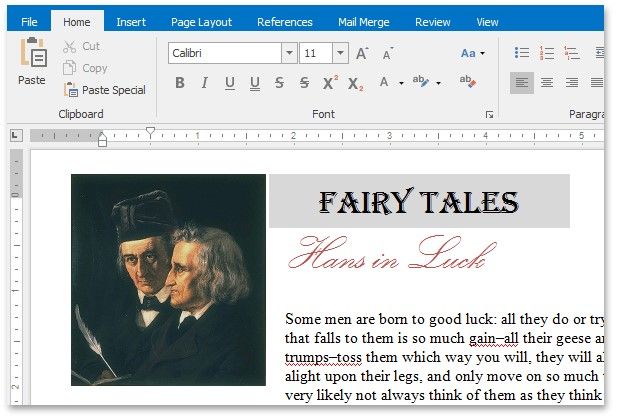
This section describes the Rich Text Editor capabilities.
RTeditor

Text Editor UI

Editor Elements

Toolbars Ribbon Interface

File Operations

Create a New Document

Load a Document

Save a Document

Print a Document

Document Layout and Page Setup

Divide a Document into Sections

Adjust Page Settings

Lay Out Text in Columns

Add Line Numbers Change

Page Background Color

View and Navigate

Navigate through a Document

Switch Document Views

Zoom a Document

Edit Text

Select Text

Delete Text

Find and Replace Text

Use a Clipboard

Check Text Spelling

Undo and Redo Last Operations

Formatting

Format Text

Format Paragraphs

Apply and Modify Styles

Pictures and Text Boxes

Insert a Picture

Insert, Select, Copy or Delete a Text Box

Add, Change or Delete a Border for a Picture or Text Box

Add, Change or Delete a Text Box Fill

Rotate a Picture or Text Box

Move a Picture or Text Box

Wrap Text around a Picture or Text Box

Resize a Picture or Text Box

Lists

Numbered Lists

Bulleted Lists

Multilevel Lists


Tables

Insert a Table

Add and Remove Table Borders

Customize a Style of Cell Borders

Select a Cell, Row or Column

Insert a Cell, Row or Column

Delete a Cell, Row or Column

Merge or Split Cells

Align Text in Table Cells

Set Background Color of Cells

Wrap Text Around a Table

Header and Footer

Header and Footer

Footnotes and Endnotes

Insert and Edit a Footnote or Endnote

Change Note Appearance

Embed Fields (Mail Merge)

Mail Merge

Table of Contents

Create a Table of Contents

Create Table of Contents for Special Cases

Update Table of Contents

Track Changes

Turn On Track Changes

Accept and Reject Changes

Protect Documents

Protect and Unprotect a Document

Edit a Protected Document

Miscellaneous

Insert a Bookmark

Insert a Hyperlink

Insert a Comment

Insert a Page Break

Insert Page Numbers

Insert a Symbol

Set Document Properties