Insert a Symbol
The Rich Text Editor allows you to insert symbols that are not on your keyboard, such as copyright symbols, trademark symbols, paragraph marks.
To insert a symbol, do the following:
1.Point to the position within the document where you want to insert a symbol.
2.On the Insert tab, in the Symbol group, click the Symbol button.
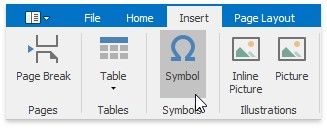
The Symbol dialog will be invoked.
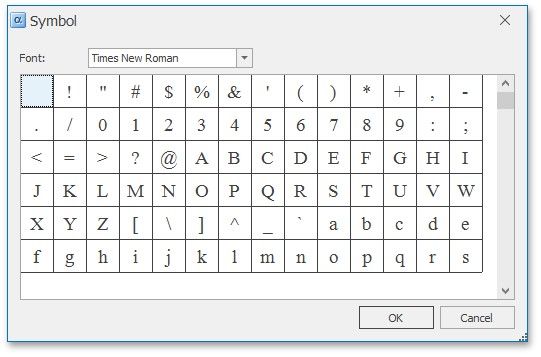
3.Select the symbol to be inserted and click OK, or double-click the symbol.
In addition, some symbols can be inserted in the document using default keyboard shortcuts:
SHORTCUT |
DESCRIPTION |
CTRL+ALT+C |
Inserts the copyright (©) symbol. |
CTRL+ALT+OEMPERIOD |
Inserts the ellipsis (…) symbol. |
CTRL+ALT+R |
Inserts the registered trademark (®) symbol. |
CTRL+ALT+- |
Inserts the em dash (—) symbol. |
CTRL+ALT+T |
Inserts the trademark sign (™) symbol. |
CTRL+- |
Inserts the en dash (-) symbol. |