Toolbars
The Rich Text control can be accompanied by a set of toolbars that provide a comprehensive functionality for the Rich Editor.
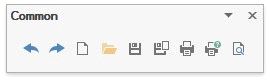
Common
Info
Set Document Properties
Clipboard
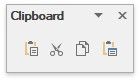
Use a Clipboard
Font

Format Text
Paragraph

Format Paragraphs
Editing
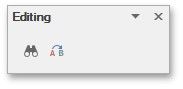
Find and Replace Text
Styles
Apply and Modify Styles
Pages
Insert a Page Break
Tables
Insert a Table
Illustrations
Insert a Picture
Text
Insert, Select, Copy or Delete a Text Box
Links
Insert a Bookmark
Insert a Hyperlink
Header & Footer
Header and Footer
Insert Page Numbers
Symbols
Insert a Symbol
Page Setup

Insert Page Numbers
Lay Out Text in Columns
Insert a Page Break
Divide a Documents into Sections
Add Line Numbers
Background
Change Page Background Color
Mail Merge
Mail Merge
Document Views
Switch Document Views
Show
Show Rulers
Zoom
Zoom a Document
Navigation
Header and Footer
Options
Header and Footer
Close
Header and Footer
Table Styles
Add and Remove Table Borders
Table Style Options

Add and Remove Table Borders
Borders&Shadings

Customize a Style of Cell Borders
Table
Select a Cell, Row or Column
Rows & Columns
Insert a Cell, Row or Column
Delete a Cell, Row or Column
Merge
Merge or Split Cells
Cell Size
Alignment
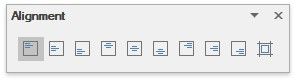
Align Text in Table Cells
Protect
Protect and Unprotect a Document
Proofing
Check Text Spelling
Table of Contents
Create a Table of Contents
Captions
Create Table of Contents for Special Cases
Shape Styles
Add, Change or Delete a Border for a Picture or Text Box
Arrange
Wrap Text around a Picture or Text Box
Comment
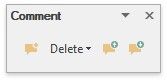
Insert a Comment
Tracking
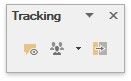
Insert a Comment
Ribbon Interface
The comprehensive functionality for the Rich Text control can be provided via set of Ribbon tabbed pages. Ribbon pages are structurally and visually split into logical groups. Each of these groups includes commands that have some common features.
File
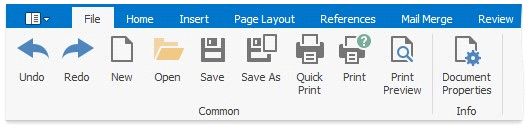
Create a New Document
Load a Document
Save a Document
Print a Document
Undo and Redo Last Operations
Set Document Properties
Home

Use a Clipboard
Format Text
Format Paragraphs
Apply and Modify Styles
Find and Replace Text
Insert

Insert a Page Break
Insert a Table
Insert a Picture
Insert a Bookmark
Insert a Hyperlink
Header and Footer
Insert Page Numbers
Insert, Select, Copy or Delete a Text Box
Insert a Symbol
Page Layout
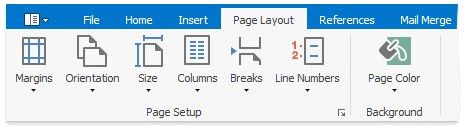
Adjust Page Settings
Lay Out Text in Columns
Insert a Page Break
Divide a Documents into Sections
Add Line Numbers
Change Page Background Color
References

Create a Table of Contents
Create Table of Contents for Special Cases
Update Table of Contents
Mail Merge
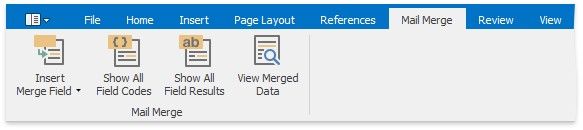
Mail Merge
Review

Check Text Spelling
Protect and Unprotect a Document
Insert a Comment
Enable Track Changes
Accept and Reject Changes
View
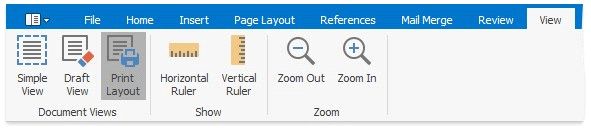
Switch Document Views
Show Rulers
Zoom a Document
Header & Footer Tools / Design
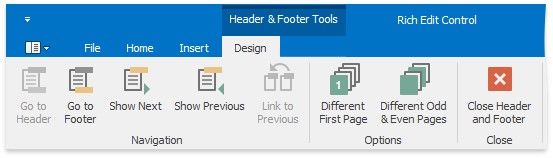
Header and Footer
Table Tools / Design
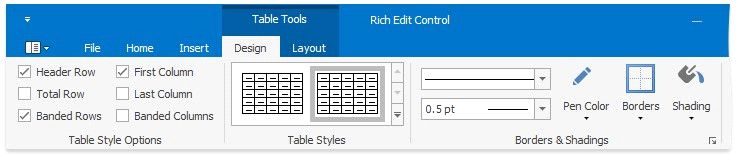
Select a Cell, Row or Column
Set Table Properties
Insert a Cell, Row or Column
Delete a Cell, Row or Column
Merge or Split Cells
Adjust Column Width
Align Text in Table Cells
Table Tools / Layout

Add and Remove Table Borders
Customize a Style of Cell Borders
Set Background Color of Cells
Picture Tools / Format
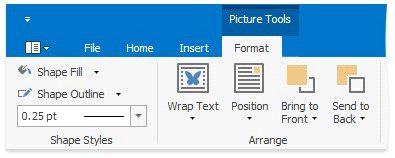
Add, Change or Delete a Border for a Picture or Text Box
Add, Change or Delete a Text Box Fill
Wrap Text around a Picture or Text Box
Move a Picture or Text Box