Spreadsheet

<< Click to Display Table of Contents >>

Navigation:  User Interface (UI) Elements >

Spreadsheet


Spreadsheet

This section describes the capabilities provided by the Spreadsheet.
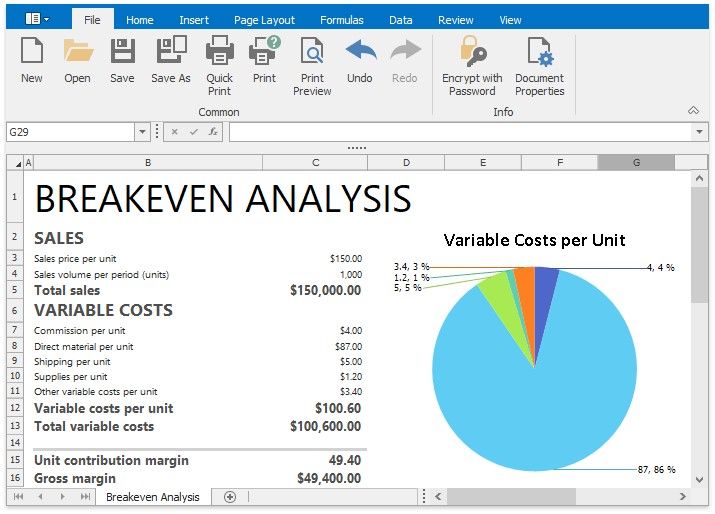
Spreadsheet1

Spreadsheet UI

Ribbon Interface

Spreadsheet Elements

File Operations

Create a Workbook

Load a Workbook

Create a Worksheet

Rename a Worksheet

Delete a Worksheet

Save a Workbook

Import and Export Text Files

Print a Workbook

Adjust Page Settings

Undo and Redo Last Actions

Viewing and Navigating

Hide and Display Worksheets

Zoom a Worksheet

Hide Gridlines and Headings Freeze Columns and Rows

Editing Cells

Select Cells or Cell Content

Copy and Paste Cell Content

Fill Data Automatically

Find and Replace

Insert a Comment

Insert a Symbol

Cell Formatting

Format Cells

Format Cell Content

Wrap Text and Merge Cells

Number Formatting

Conditional Formatting

Clear Cell Formatting

Columns and Rows

Insert and Delete Columns and Rows

Show and Hide Columns and Rows

Specify Column Width and Row Height

Tables

Spreadsheet2 Create a Table

Pivot Tables

Create a Pivot Table

Modify a Pivot Table

Refresh the PivotTable Data

Change the PivotTable Layout

Apply a Predefined Style to a Pivot Table

Change the PivotTable Layout

Subtotal and Total Fields in a Pivot Table

Group Items in a Pivot Table

Sort Items in a Pivot Table

Filter a Pivot Table

Insert a Calculated Field and Calculated Item

Data Analysis and Presentation

Outline Data

Subtotal Data

Sort Data

Filter Data


Protection

Protect a Workbook

Protect a Worksheet

Protect Worksheet Ranges

Encrypt a Workbook with the Password

Keyboard Shortcuts

File Operations

Navigation inside Worksheets

Work with Selections

Copy, Paste and Edit the Cell Content

Cell Formatting

Work with Columns and Rows

Sort and Filter

Work with Formulas