Create a Worksheet
To create a new worksheet within the current workbook, do one of the following.
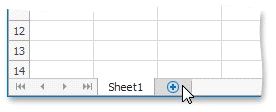
Click the New Sheet button (which looks like a plus sign) at the right edge of the Sheet tab bar.
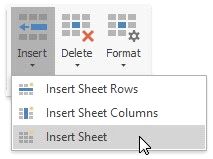
To insert a worksheet in front of the existing worksheet, go to the Home tab, and then in the Cells group, click the Insert button and select the Insert Sheet item from the drop-down list or press SHIFT+F11.
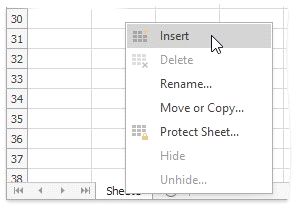
On the Sheet tab bar, right-click the sheet tab of the existing worksheet and select the Insert item from the invoked menu.