Specify a Reference to a PDF Document
You can use an external PDF document as a source of PDF data. Set the Source URL property to a local file system path or URL.
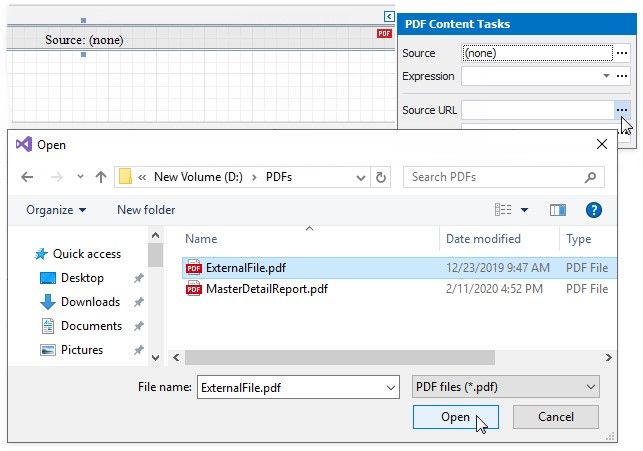
Expand the PDF Content's smart tag and click the Source URL property's ellipsis button to specify the PDF document location in the file system.
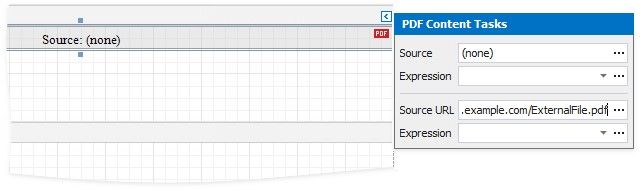
To specify the PDF document's location on the Web, use the URL as the Source URL property's value.
When users save a report, the URL or path specified in the Source URL property is included in the report file. The PDF document should be available at the specified location when a report is printed or rendered in Preview.
The Source URL property value takes precedence over the Source property value. If you specify both properties, PDF Content includes the content specified by Source URL. However, if the file specified in the Source URL property cannot be loaded, the binary data from the Source property is used.