Save the Connection String
On this page, you can specify whether or not to save the user credentials along with the connection string.
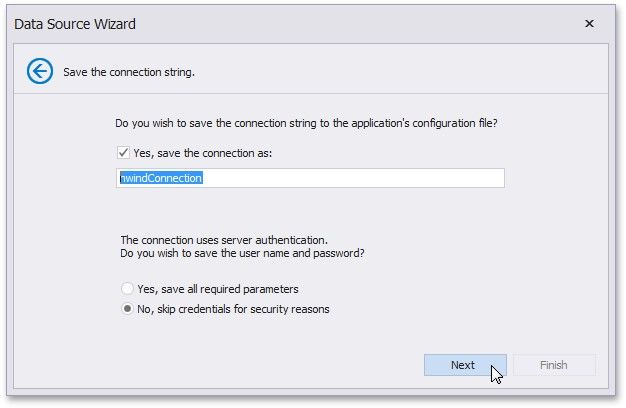
Click Next to proceed to the next wizard page: Create a Query or Select a Stored Procedure.
|
<< Click to Display Table of Contents >> Navigation: User Interface (UI) Elements > Report Designer > Data Source Wizard > Connect to a Database > Save the Connection String |
Save the Connection String
On this page, you can specify whether or not to save the user credentials along with the connection string.
Click Next to proceed to the next wizard page: Create a Query or Select a Stored Procedure.