Specify a Connection String
On this page, define a custom connection string or select one of the supported data source types.
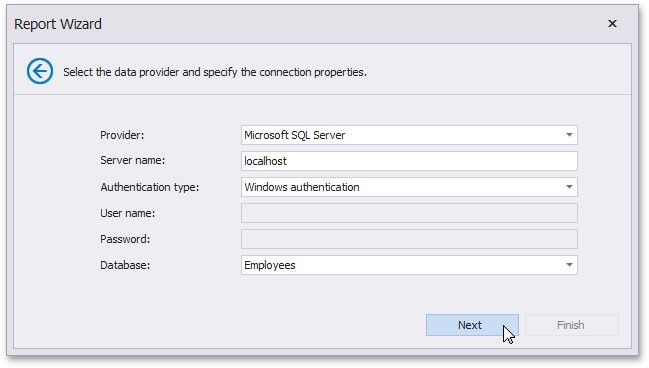
The following data source types are supported.
Amazon Redshift Firebird
Google BigQuery
IBM DB2
Microsoft Access 2007
Microsoft Access 97
Microsoft SQL Server
Microsoft SQL Server Compact Edition
MySQL
Oracle
Pervasive PSQL
PostgreSQL
SAP Sybase Advantage
SAP Sybase ASE
SAP Sybase SQL Anywhere
SQLite
Teradata
VistaDB
VistaDB5
XML file
Depending on the data provider selected, it may be necessary to specify additional connection options (such as authentication type and database name) on this page.
Click Next to proceed to the next wizard page, depending on whether or not the created connection uses server authentication.
Save the Connection String - if server authentication is required, this page allows you to specify whether or not you want to save the user credentials along with the connection string.
Create a Query or Select a Stored Procedure - if server authentication is not required, the page above does not appear, and you will proceed to constructing the query.