Reorder Table Rows and Cells
You can change the order of table rows and cells. Switch to the Report Explorer window, select a row or cell and drag it to a new position.
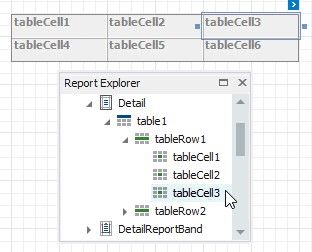
The Report Explorer highlights the possible drop targets when you drag an element over them