Insert Table Rows and Columns
You can use the Insert group in the toolbar's Table Tools contextual tab or the Insert context menu items to add new rows and columns. The added cells inherit the source cells' size and appearance settings.
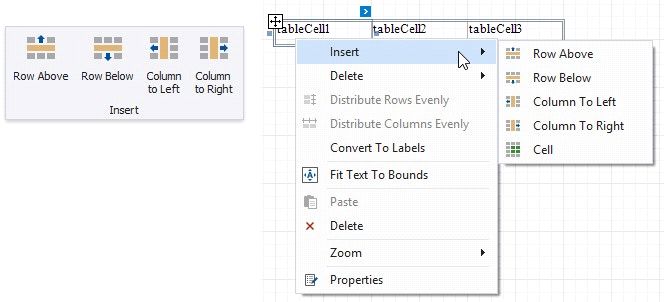
Inserts a row above the current cell and shifts the existing rows up if there is enough space above the table (otherwise, shifts the existing rows down).

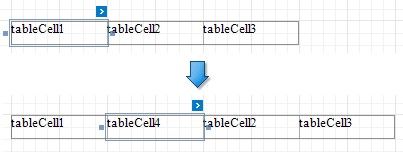
Inserts a row below the current cell and shifts the existing rows down. This command increases the band height to accommodate all the rows if there is not enough space under the table.

Inserts a new column to the left of the current cell and shifts the leftmost columns to the left (otherwise, shifts these columns to the right).
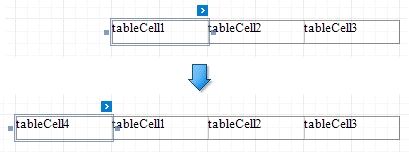
Inserts a new column to the right of the current cell and shifts the rightmost columns to the right. This command decreases all columns' width proportionally to accommodate all the columns if there is not enough space to the right of the table.