Insert, Split and Merge Table Cells
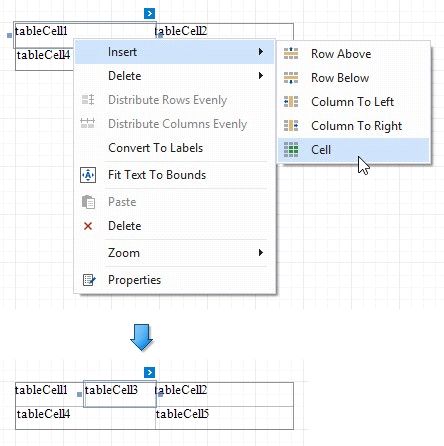
 Insert Cell (context menu item)
Divides the current cell width in half and inserts a new cell to the right. The added cell copies the source cell's appearance settings.
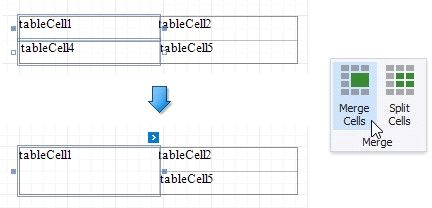
Merges the selected cells. This command is available if the selection has a rectangle form.
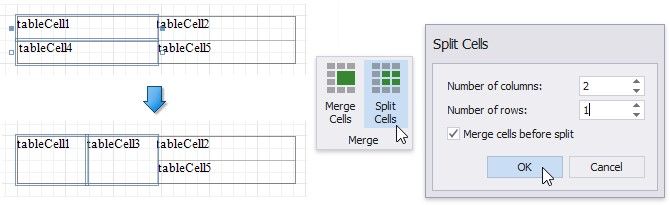
Invokes the Split Cells dialog where you can specify the number of columns and rows to split the selected cells. You can apply this change to each selected cell individually, or merge the cells and then split the resulting cell.