Zoom In and Out of a Document
Use buttons from the Zoom button group of the PDF Viewer tab.
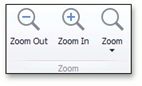
To zoom in a document, click the Zoom In button on the toolbar, or press Ctrl+Plus sign.
To zoom out of a document, click the Zoom Out button on the toolbar, or press Ctrl+Minus sign.
To zoom in or out of a document, you can also hold down Ctrl and rotate the mouse wheel.