Vertical Bands
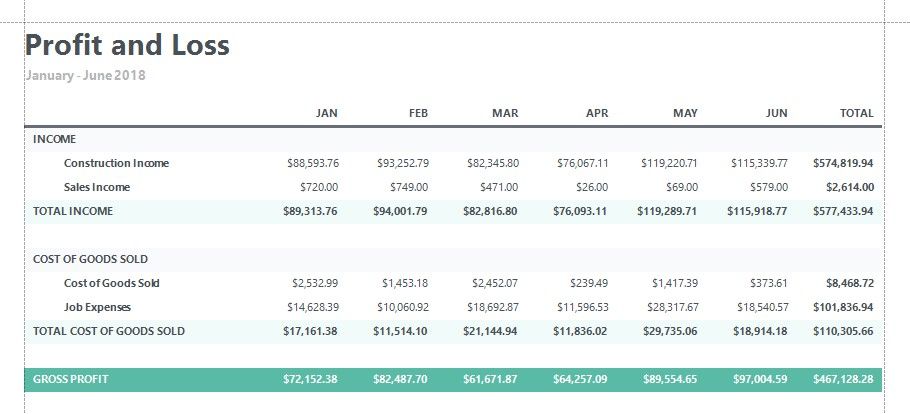
You can replace the Detail band with the Vertical Header, Vertical Detail and Vertical Total bands to display record fields vertically and print data records horizontally - from left to right (and vise versa if the report's RTL mode is enabled).
To add vertical bands to your report, right-click the report in the Report Designer and choose Insert Vertical Band in the invoked context menu.
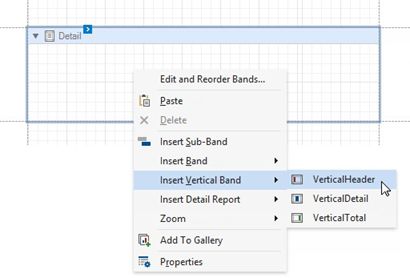
The following vertical bands are available:
•Vertical Header
Contains headers of the report's data fields. These headers are arranged vertically.
•Vertical Details
This band is printed for every record in a data source unless you filtered the data. The records are displayed one after another in a horizontal direction.
•Vertical Total
This band is placed at the rightmost position (leftmost when RTL is enabled). You can use the Vertical Total band for report summaries or conclusions.
You can use the Report Wizard to create a report with vertical bands. Refer to the Vertical Reports topic for instructions on how to create a report with vertical bands.