Introduction to Banded Reports
Banded reports provide a generalized report layout notion. When you preview a banded report, a report document is generated based on the report layout and data source.
Report Bands
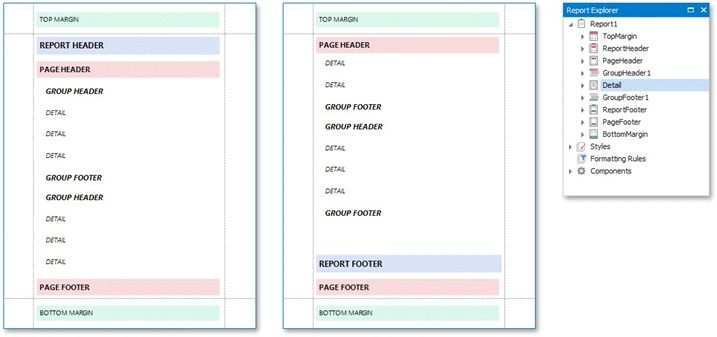
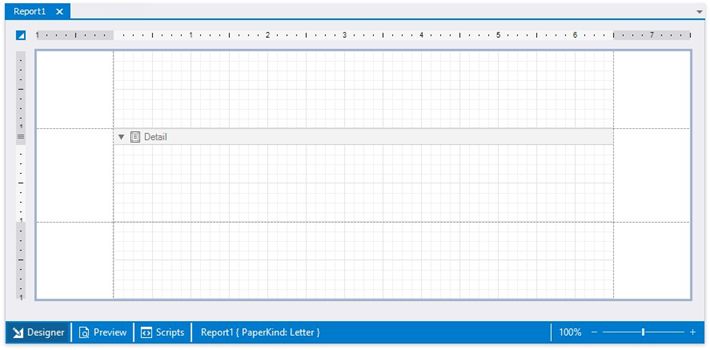
A report layout consists of bands that contain report controls and define their location on document pages. A blank report contains the following bands:
The Detail Band is printed for every record in a data source unless you filtered the data.
Every report should have a detail band, and you cannot delete it.
You can also add the following bands:
The Top Margin and Bottom Margin bands. These bands are repeated once on every document page.
Report Header and Report Footer
The Report Header is the report's first band (margins are "out-of-page" zones). Use this band to display the report's name, company logo, date of creation, username, etc.
The Report Footer is placed before the Page Footer and Bottom Margin on the report's last page. You can use the Report Footer band for report summaries or conclusions.
Page Header and Page Footer
These bands are at the top and bottom of every page in a report. They display information that should be printed on every page.
Group Header and Group Footer
These bands are above and below each group. The Group and Sort Panel create these bands automatically.
Note: Only the detail and group bands can be used to display dynamic data source contents. Other bands display titles, summaries, and information
The following image illustrates a sample report layout and the Report Explorer that reflects the report's structure: