Stretch Table Cells
You can stretch a cell so that it occupies several rows and columns.
 Stretch a cell across several columns
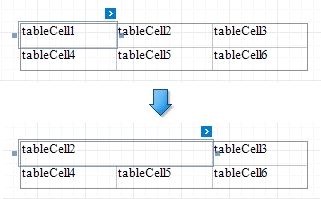
Remove a neighboring cell by pressing DELETE or selecting Delete | Cell in the context menu and resize the remaining cells.
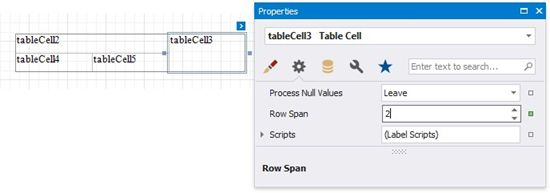
Use a table cell's Row Span property to specify the number of rows the table cell spans.