Show Summaries (Totals) in Grids
To change the type of summary for a specific column or apply a summary, do the following:
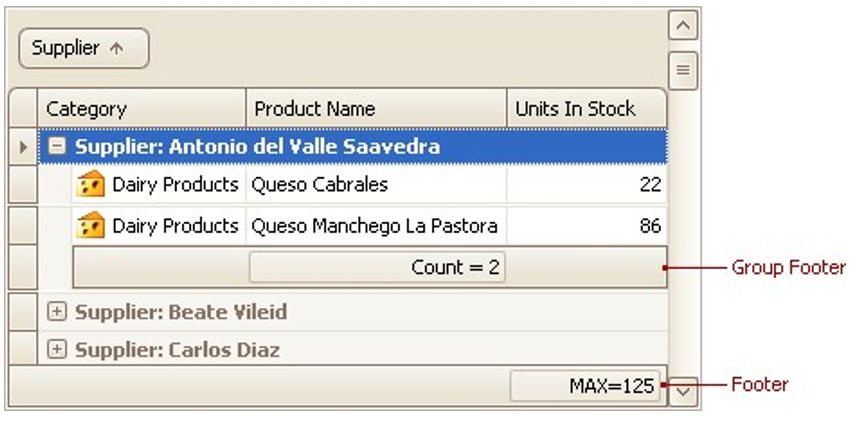
•Right-click a region within a group footer or grid footer under a specific column:
A context menu displaying a list of supported summary types will be displayed:
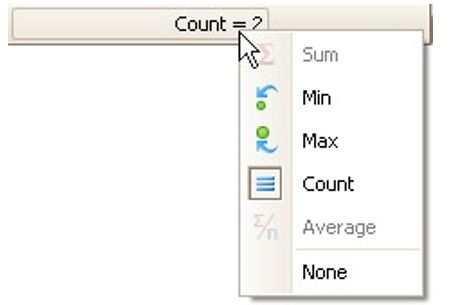
Select the required option from the context menu.