Select Grid Rows and Cards
Select Individual Rows/Cards
To select a row/card and clear the existing selection, do one of the following:
In Card and Layout Views, click the card's caption or any of its data cells.
Select the row/card using the ARROW keys.
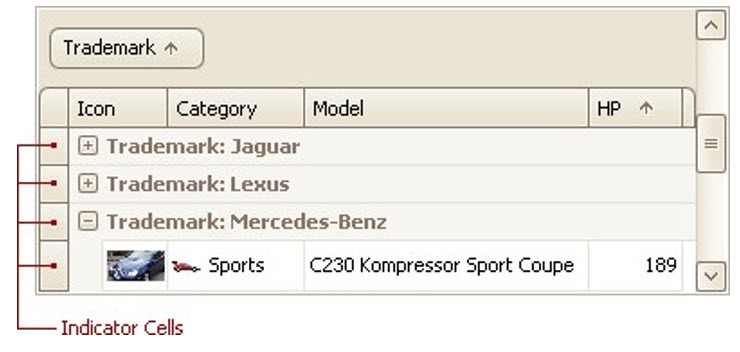
In Grid Views, click the row's indicator cell or any of its data cells:
Select Multiple Rows or Cards
To select a row/card while preserving the current selection, do one of the following:
In Grid Views, click the row's indicator cell or any of its data cells, while holding the CTRL key down.
In Card and Layout Views, click the card's caption or any of its data cells, while holding the CTRL key down.
To toggle the focused row's/card's selected state, do one of the following:
Press CTRL+SPACE.
Click the row/card while holding the CTRL key down.
To move focus between rows and cards while preserving the current selection, use CTRL+ARROW keyboard shortcut (supported by Grid and Card Views).
Select a Range of Rows/Cards
To select all rows/cards, press CTRL+A (supported by Grid and Layout Views). Before pressing this shortcut, ensure that the focused cell is not being edited
To select a continuous range or rows/cards, you can do the following
Use ARROW, PAGE UP, PAGE DOWN keys while holding the SHIFT key down.
To select all rows/cards between the currently focused row/card and another one, click the target row/card while holding the SHIFT key down.
Copy Selected Records to the Clipboard
Press CTRL+C or SHIFT+INS.