Report Parameters with Predefined Static Values
You can create a parameter with a list of predefined values. In the Parameters panel, such a parameter allows you to select a value from the predefined list.
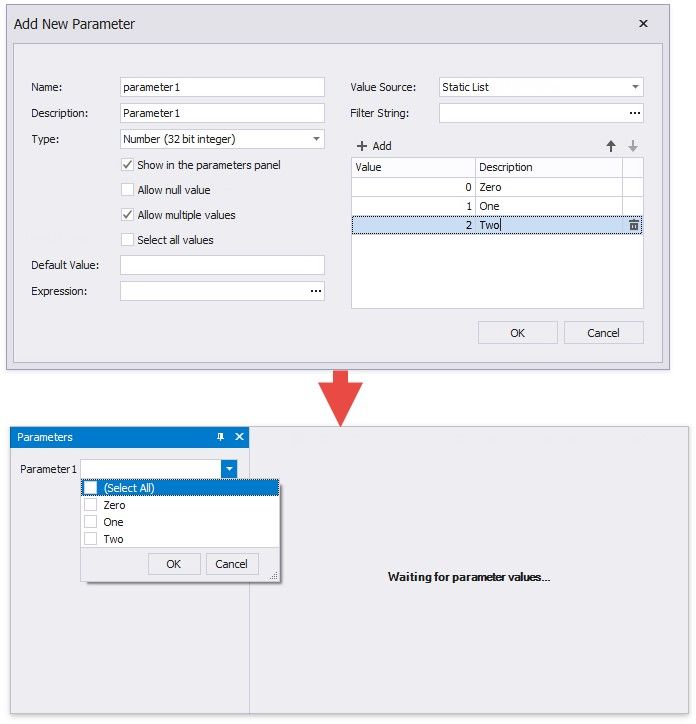
Follow the steps below to create a parameter with a list of predefined static values.
1.Create a report parameter as described in the Create a Report Parameter topic.
2.Set the parameter's Value Source property to Static List. A grid appears in the Add New Parameter dialog where you can specify a static list of values.
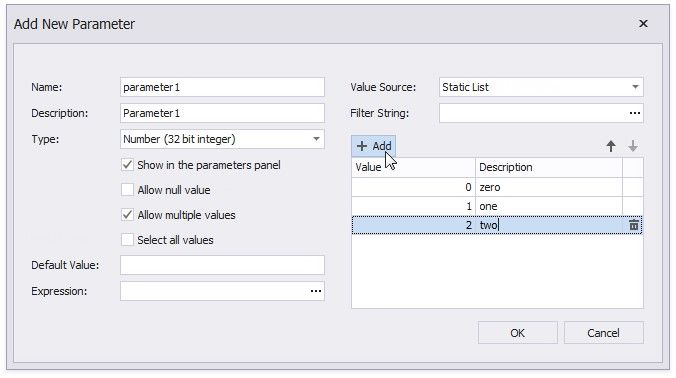
3.Specify a list of values. Each value should have a description that is displayed in the Parameters panel.