Panes
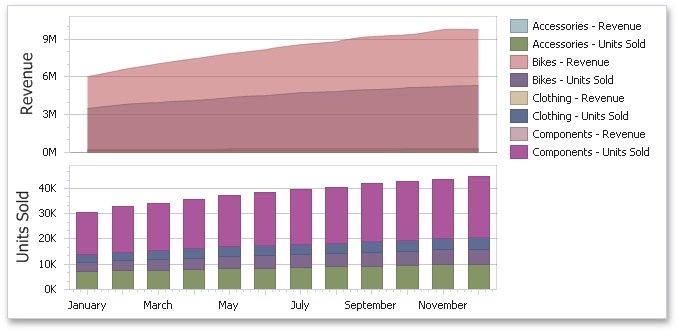
The Chart dashboard item can contain any number of panes. Panes are visual areas within a diagram that display chart series.
Each pane has its own Y-axis and displays a specific set of series. All panes in a chart share the same X-axis.
To add a pane, click the Add Pane button (the  icon) at the top right of the DATA ITEMS pane.
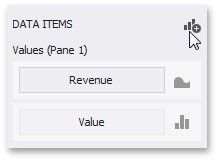
Once a new pane is added, the Dashboard Designer creates another Values section in the DATA ITEMS pane.
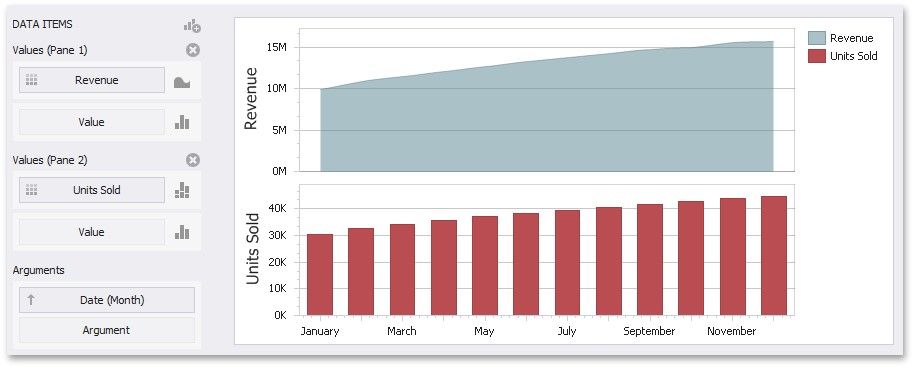
Use this section to provide data items that supply values to be displayed in the new pane (see Providing Data for details on data binding).
To remove a pane, click the Remove Pane button (the  icon) displayed in the corresponding Values section.