Dashboard Designer
The Dashboard Designer provides an intuitive UI that facilitates data binding and shaping, and layout design. Many of these normally complex tasks can be accomplished with a simple drag-and-drop operation, allowing you to start creating dashboards immediately.
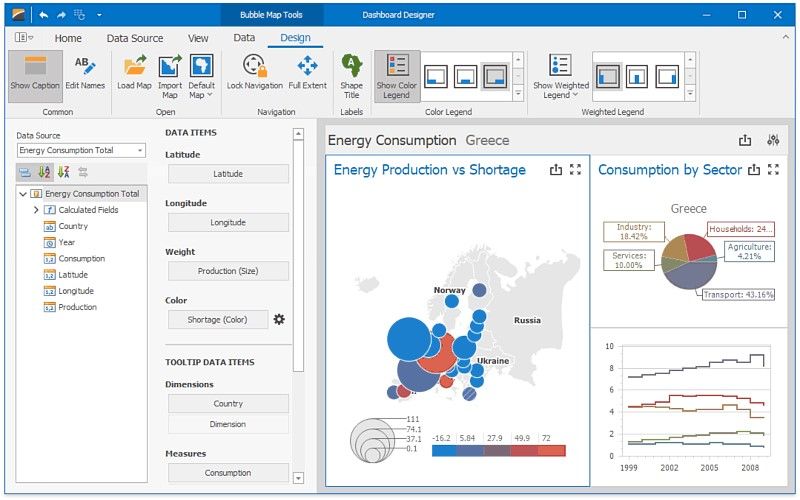
Creating Dashboards
The following topics will guide you through the process of creating a dashboard.
Appearance Customization
Data Analysis
Convert Dashboard Items
Dashboard Layout
Undo and Redo Operations
Automatic and Manual Updates
Save a Dashboard
Printing and Exporting
The Dashboard Designer provides the capability to print or export the individual items of a dashboard, as well as the entire dashboard.
 Printing and Exporting
UI Elements
The topics in this section describe the main elements of a Dashboard Designer application.
 UI Elements