Navigate in Print Preview Using Bookmarks
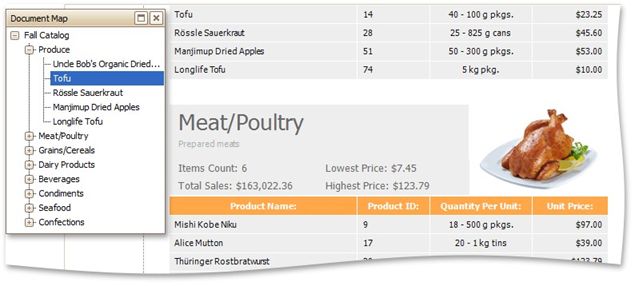
If a document contains bookmarks, you can use the Document Map panel for navigation purposes.
To toggle this panel's visibility, use the Document Map  button on the toolbar. To go to a specific bookmark, click it in the Document Map. As a result, the Print Preview navigates to a document element associated with the bookmark.