Move the Selected Range
To move a selection, do the following.
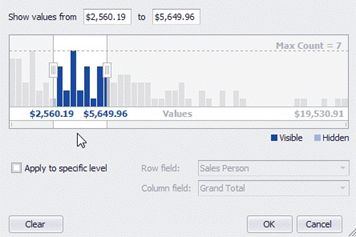
Drag the selection by any point within it.
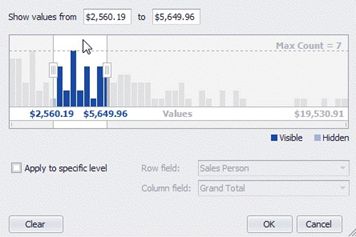
Drag a selection scroll thumb displayed within the Zoom & Scroll Bar.
|
<< Click to Display Table of Contents >> Navigation: User Interface (UI) Elements > Pivot Table > Filter Data in Pivot Tables > Filter Data by Cell Values > Move the Selected Range |
Move the Selected Range
To move a selection, do the following.
Drag the selection by any point within it.
Drag a selection scroll thumb displayed within the Zoom & Scroll Bar.