Main Options
The following properties are specific to the Character Comb control:
 Cell Vertical Spacing and Cell Horizontal Spacing
Specify the spacing between adjacent cells (measured in report units). These values do not depend on the specified border width of a control.
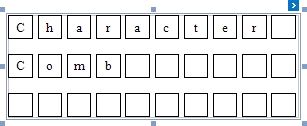
The following image illustrates a Character Comb with Cell Vertical Spacing set to 15 and Cell Horizontal Spacing set to 5.
Specifies the width of cell borders in pixels, as a floating point value.
When the cell spacing is set to zero, the borders of adjacent cells are merged (i.e., the actual border width is not doubled).
The following images illustrate how cell spacing affects the Border Width property behavior:
CELL SPACING = 0 |
CELL SPACING = 1 |
|
|
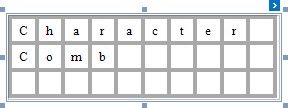
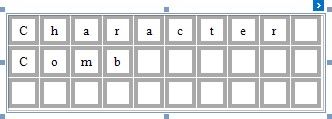
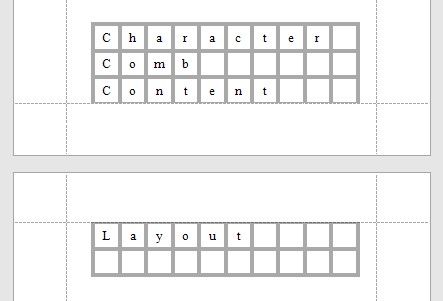
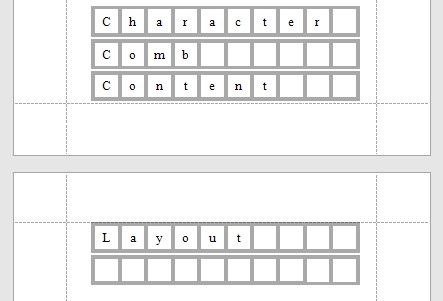
When the control's content is to be printed on multiple pages, a page break horizontally splits the cell border based on the cell spacing setting, as shown below.
CELL SPACING = 0 |
CELL SPACING > 0 |
|
|
 Cell Size Mode
Specifies whether or not the cell size should depend on the current font size of a control. The following cell size modes are supported:
 Custom
The cell size is determined by the Cell Height and Cell Width property values and does not depend on the assigned font size.
With this setting, the actual cell size is less than the specified Cell Height and CellWidth by the Border Width value.
 Auto Size
The cell size depends on the current font size of a control (the Cell Height and Cell Width properties are ignored).
With this setting, the actual cell size does not depend on the specified border width of a control.
 Auto Height
Only the cell height depends on the current font size of a control (the Cell Height property is ignored), and the Cell Width value is specified manually.
With this setting, the following behavior is expected:
The actual cell height does not depend on the specified border width of a control.
The actual cell width is the difference between the specified Cell Width and Border Width values.
Auto Width
Only the cell width depends on the current font size of a control (the Сell Width property is ignored), and Cell Height value is specified manually.
With this setting, the following behavior is expected:
The actual cell width does not depend on the specified border width of a control.
The actual cell height is the difference between the specified Cell Height and Border Width values.