Keep Content Together
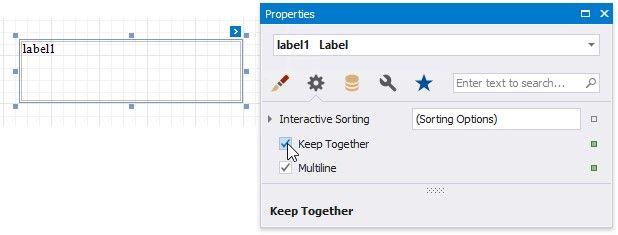
You can choose whether a control's content can be split across several pages using its Keep Together property.
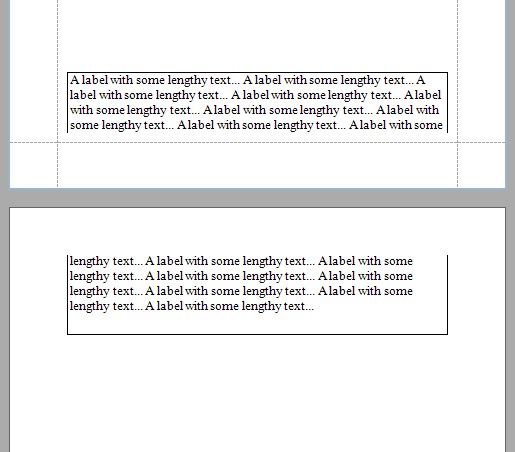
"KEEP TOGETHER" IS DISABLED |
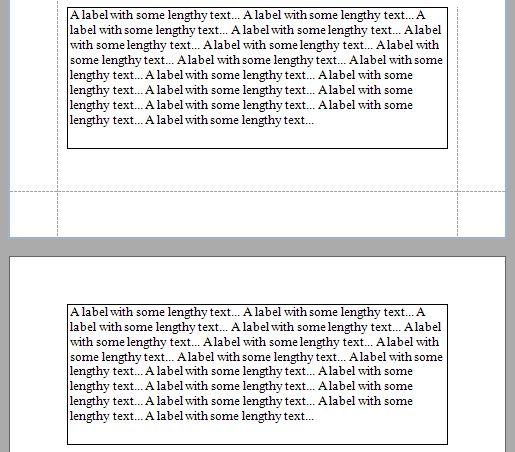
"KEEP TOGETHER" IS ENABLED |
|
|
Enabling this property for a single control makes the same band's controls behave like this option is enabled.
Use the band's Keep Together property to enable this feature for all controls within a specific band.
In a master-detail report, you can print the detail band on the same page as the detail report band using the detail band's Keep Together With Detail Reports property.