Hide Fields Using a Field List
You can use a simple or an advanced Field List to hide fields (to learn more about Field Lists, see Field List Overview).
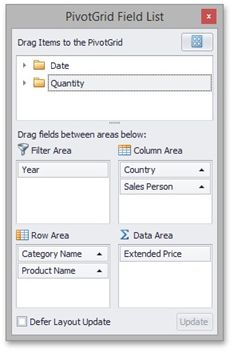
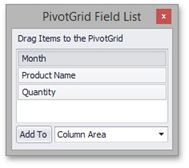
First, invoke a Field List. For information on how to do this, see Invoke a Field List.
Then do one of the following:
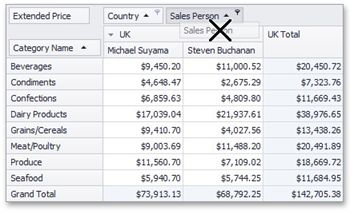
Drag and drop a field onto the Field List form.
Drag a field away from the header panel, until the cursor changes its image to the big 'X'. Then drop the header.
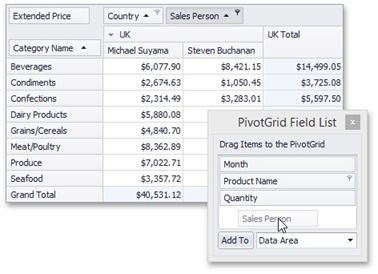
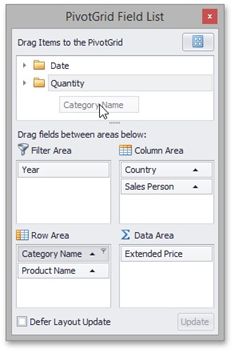
If you are using an advanced Field List, you can hide a field by dragging its header to the hidden fields area displayed on the Field List top.
You can also hide fields using the context menu. To learn more, see Hide Fields Using the Context Menu.