Filter Data
To specify filter criteria, click the Filter... button in the Query Builder. This invokes the Filter Editor, which provides the following capabilities.
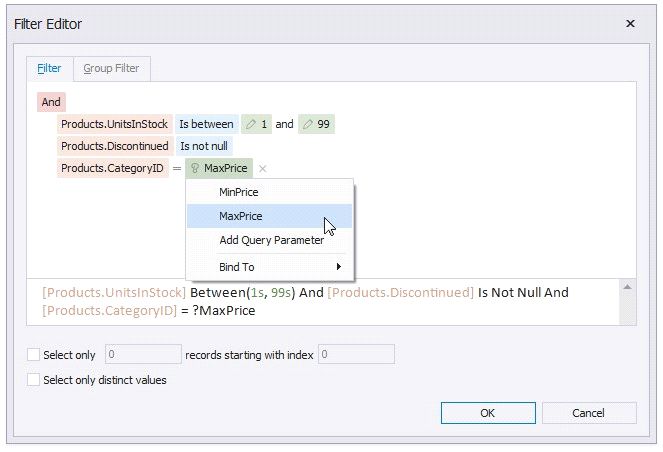
Filter Tab
The editor contains the Filter tab allowing you to specify filter conditions for resulting data. Filter criteria can be assigned query parameters or bound to report parameters.
Group Filter Tab
The Group Filter tab allows you to specify filter conditions for grouped and aggregated data. If data is not grouped, the second tab is disabled.
Other Options
Using this editor, you can limit the number of resulting data rows. If data is sorted, you can specify how many rows to skip before retrieving the specified number of rows.
Another option enables you to include only distinct values into the resulting set.