Edit Parameters
Click the Edit Parameters button to invoke the Query Parameters dialog, which allows you to add and remove query parameters as well as specify parameter settings.
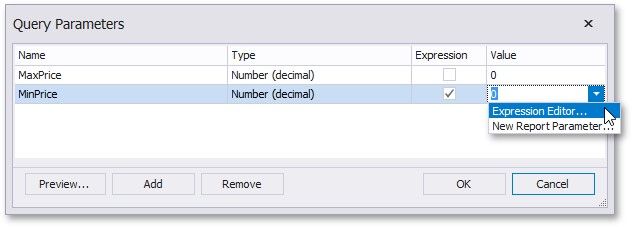
For each query parameter, the following properties are available.
Name - specifies the name used to refer a parameter.
Type - specifies the data type of the parameter's value.
Expression - determines whether the actual parameter value is static or generated dynamically.
Value - specifies the actual value of a query parameter. If the Expression option is enabled, the actual parameter value is produced dynamically by calculating an associated expression, which is particularly useful when you need to map the query parameter value to the value of a report parameter.
The created parameters will be then available on the Configure Query Parameters wizard page.
For general information on query parameters and ways of providing parameter values, see Specify Query Parameters.