Customize Printing Settings of Grids
If allowed by your application vendor, you can customize additional print settings of a document. For example, if you are about to print out a grid, you may be able to customize grid printing options.
To do this, click the Customize  button on the toolbar. The Print Options dialog will be invoked.
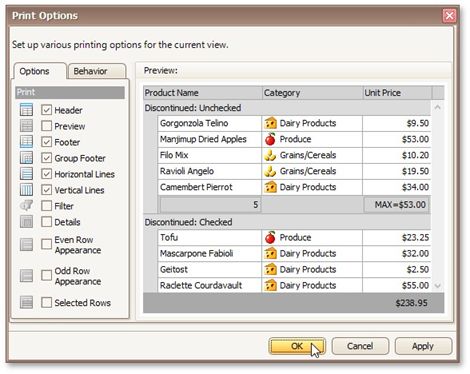
•Options tab
Allows you to uncheck elements that you don't want to print.
•Behavior tab
Allows you to pre-process a grid before printing it. For instance, you can enable automatic column width calculation, or automatic group row expansion.