Cascading Report Parameters
You can filter the list of predefined parameter values by another parameter's value to create cascading parameters.
Follow the steps below to filter the list of parameter values by another parameter's value.
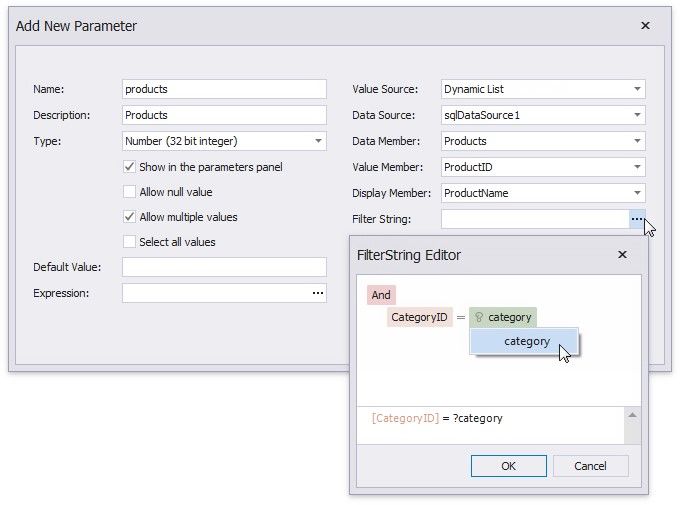
1.Click the Filter String property's ellipsis button in the Add New Parameter dialog and specify a filter string that refers to another parameter.
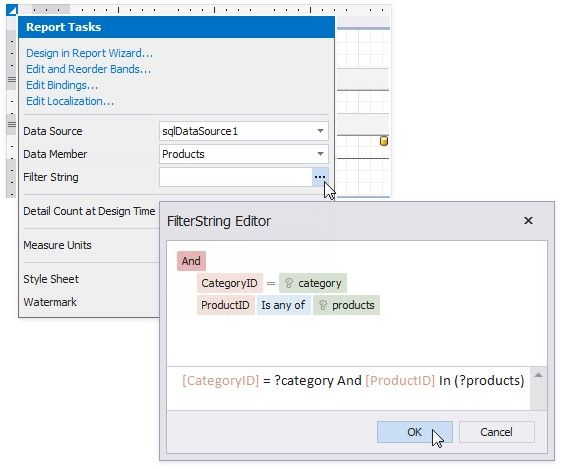
2.In the report's smart tag, click the Filter String property's ellipsis button. In the invoked FilterString Editor, specify an expression that uses both parameters:
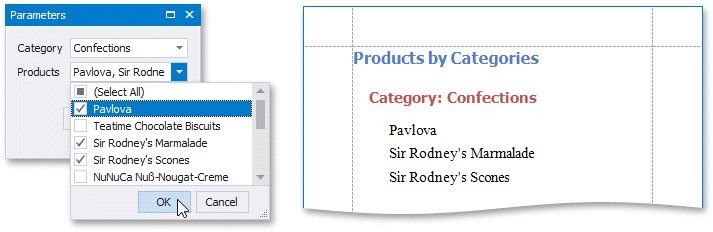
The following image illustrates cascading parameters where the Product parameter values are filtered by the selected Category.