Apply Styles to Report Elements
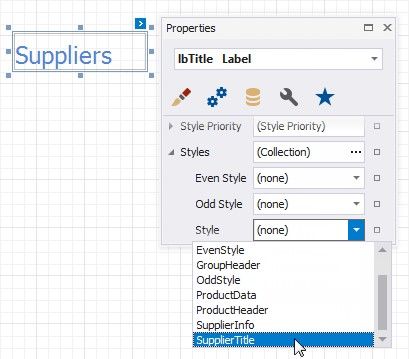
Select a control and switch to the Property Grid. Expand the Styles group and set the Style property to the style name.
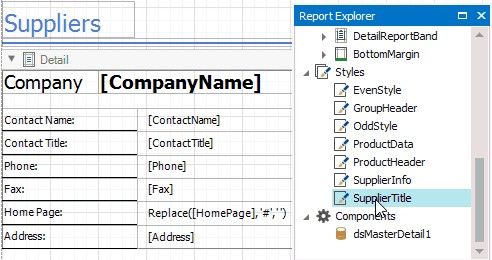
As an alternative, you can drag a style from the Report Explorer onto a control.
|
<< Click to Display Table of Contents >> Navigation: User Interface (UI) Elements > Report Designer > Create Reports > Apply Styles to Report Elements |
Apply Styles to Report Elements
Select a control and switch to the Property Grid. Expand the Styles group and set the Style property to the style name.
As an alternative, you can drag a style from the Report Explorer onto a control.