Top-Bottom
The Top-Bottom format conditions allow you to highlight a specific number of topmost/bottommost values. You can specify this number as an absolute or percent value.
The following condition types are supported for measures:
 Top N
Top N
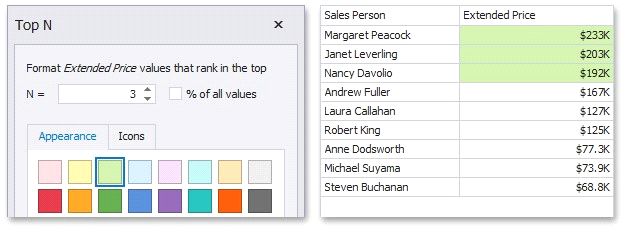
The "Top N" format condition allows you to apply formatting to elements whose values are ranked at the top. For instance, the following image displays a Grid dashboard item whose top 3 Extended Price values filled in green.
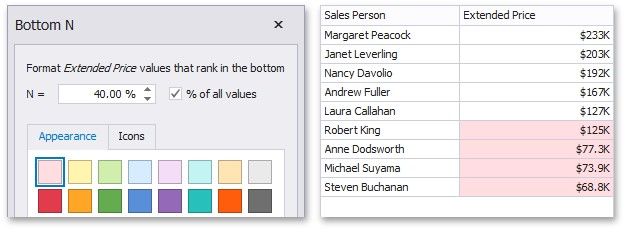
The "Bottom N" format condition allows you to apply formatting to elements whose values are ranked at the bottom. For instance, the following image displays a Grid dashboard item whose bottom 40 percent Extended Price values are filled in red.