Average
The Average format conditions allow you to highlight values above or below an average value.
The following condition types are supported for measures:
 Above Average/Above or Equal Average
The "Above Average"/"Above or Equal Average" format conditions allow you to apply formatting to elements whose values are above/above or equal to the average. For instance, the following image displays a Grid dashboard item whose Extended Price values that are above average (~ 141 000) filled in green.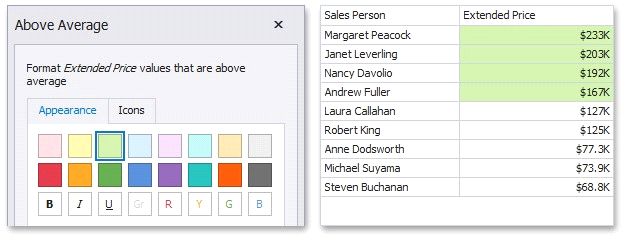
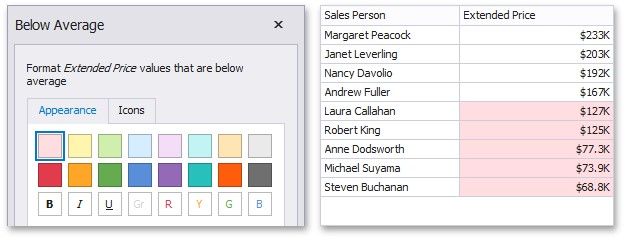
The "Below Average"/"Below or Equal Average" format conditions allow you to apply formatting to elements whose values are below/below or equal to the average. For instance, the following image displays a Grid dashboard item whose Extended Price values that are below average (~ 141 000) filled in red.