Save a Dashboard
A dashboard provides the capability to save a dashboard definition (dashboard items, data sources, data binding, layout settings, etc.) to an XML file, and restore the dashboard from an XML file.
Saving a Dashboard
Once a dashboard is designed, you can save its definition to an XML file. In the Dashboard Designer, this can be accomplished in the following ways.
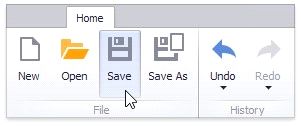
You can save the dashboard by clicking the Save or Save As button in the Ribbon menu of the Designer.
This invokes the Save As dialog, which allows you to locate the folder in which you wish to store your file.
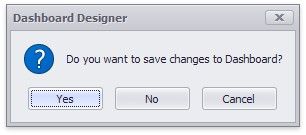
 The dashboard can be saved when the window containing the Dashboard Designer is closed. If the dashboard has been modified since the last save, a save confirmation dialog will be invoked.
Loading a Dashboard
A dashboard previously saved to an XML file can be loaded to the Dashboard Designer.
You can open the dashboard by clicking the Open button in the Ribbon menu of the Designer.
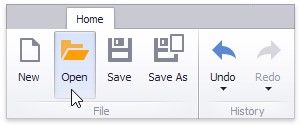
This invokes the Open File dialog, which allows you to locate the required dashboard XML file.