Run the Query Builder
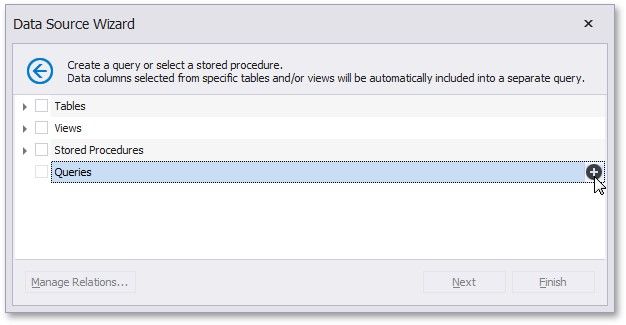
You can invoke the Query Builder from the query customization page of the Report Wizard. On this page, click the  button for the Queries category to create a new query using the Query Builder.
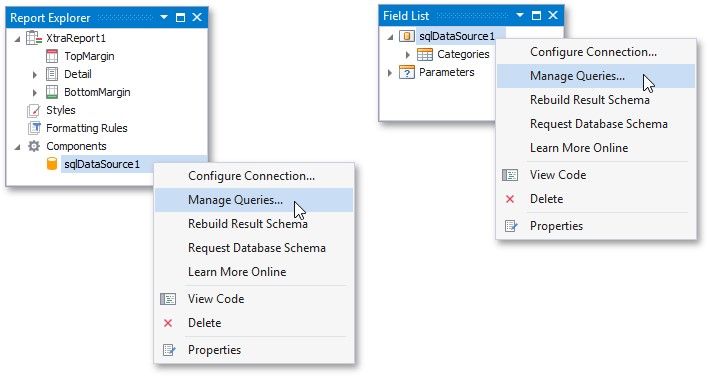
You can use the Query Builder to add queries to an existing SQL data source, as well as to edit existing queries. To do this, rightclick the data source in the Report Explorer or Field List, and select Manage Queries... in the context menu.
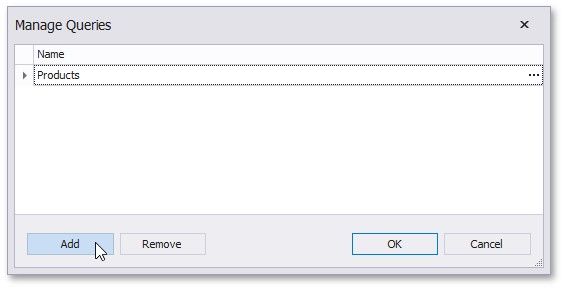
In the invoked Manage Queries dialog, click Add to add a new query. To edit an existing query, click the ellipsis button for it.
Finally, click the Run Query Builder... button in the invoked Query Editor.