Resize Tree List Columns
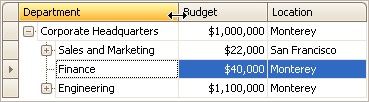
To resize columns, drag the right edge of the target column header:
To change a column's width so that it displays its contents compactly in their entirety, do one of the following:
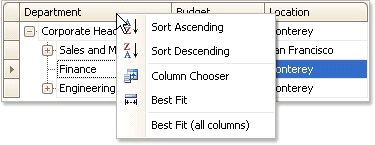
To change the widths of all columns so that they display their contents in the best possible way, right-click the header of any column and select Best Fit (all columns