Reorder Tree List Columns
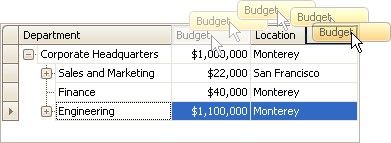
To reorder columns, drag and drop a column header to a new position.
|
<< Click to Display Table of Contents >> Navigation: User Interface (UI) Elements > Tree List > Reorder Tree List Columns |
Reorder Tree List Columns
To reorder columns, drag and drop a column header to a new position.