Reorder Fields Using a Field List
You can use an advanced Field List to reorder fields (to learn more about Field Lists, see Field List Overview).
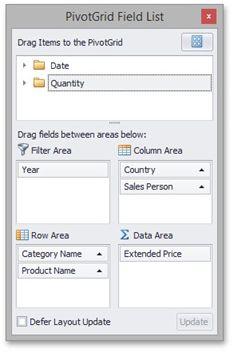
First, invoke a Field List. For information on how to do this, see Invoke a Field List.
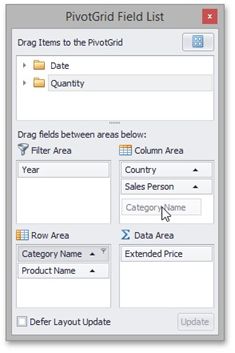
To reorder fields, drag their headers within or between Field List sections that correspond to different Pivot Table areas.
You can also reorder fields via simple drag-and-drop operations (without invoking a Field List), or using a context menu. To learn more, see Simple Fields Reordering.