Product Line: A product line is an array (grouping) of related products. A product line is a group of products that a company typically creates under a single brand. The products are similar and focus on the same market sector.
The Product Lines grid displays all Product Lines supported by the RHOP System.

The grid displays the information in a color coded format:

White: The Product has an Active Status (Check mark in the Active Field)
Gray: The Product has a Non-Active status (No check mark in the Active Field)
•To create a new Product Lines record select on the tool bar the New  button.
•To open a Product Lines record double click the Product Lines record and the Product Lines profile will be displayed. Once theProduct Lines profile is open the user can edit the information it contains.
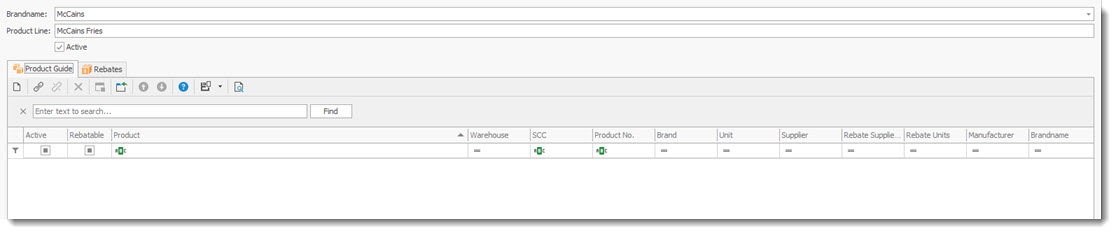
Brand Name: for the Product Line
Product Line: The Product Line it is associated with.
Product Guide tab
The various Product Guides that this Product Line is associated with.
•To add a new Product Guide entry use the New  record button in the tab section.
•To edit a record double click the record.
The displayed screen is the Product Information screen. ( see Product Guide under products )
Rebate tab
The various Rebates that this Product Line is associated with.
•To add a new Rebate entry use the New record button in the tab section.
•To edit a record double click the record.
The displayed screen is the Rebate screen. ( see Rebates under products )