The Product Guide: is the repository of all products offered by the distributors (rebatable and non-rebatable)contained in the RHOP system

The Product Guide List display all Products that exist in the RHOP system.
•To create a new Product record select on the tool bar the New  button.
•To open a Product record double click the product record and the Product information profile will be displayed. Once the Product profile is open the user can edit the information it contains.
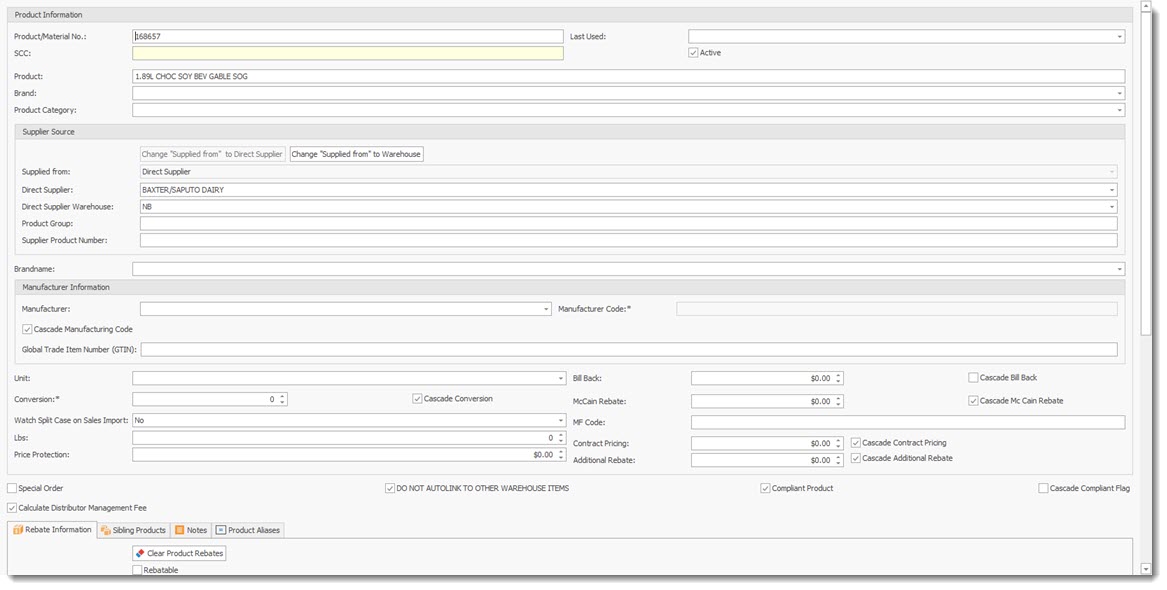
Product Information
Product Material No: Product No used.
SCC: Shipping Container Code
Product : Description of Product
Brand: Product Brand
Product Category: Category Classification of Product.
Last used: Date the product was last used.
Active: If checked the product is active, not check the product is not active.
Supplier Section
Change Buttons: allows the user to change the "Supplied From" field to either Direct Supplier or Warehouse.
Direct Supplier: Name
Supplier Warehouse: Warehouse code
Product Group: Group for the product
Supplier Product Number: Product number of the supplier
Manufacturer Information
Manufacturer : name
Manufacturer code: Code associated with the manufacturer
Cascade Manufacturing Code: If checked the code will be cascaded to sibling items
Global Trade Item Number: GTIN number of the product
Unit: unit of the product
Conversion* : The conversion to be used for the product units, * Required Field
Cascade Conversion: cascade to sibling products
Watch Split Case On Sale Import: Yes or No
Lbs: weight in Lbs
Price Protection: Value
Bill Back: value
McCain Rebate: Value
MF Code: Enter code
Contract Pricing: Value, can also be cascaded
Additional Rebates: Value, can also be cascaded
Special Order: True if checked
Calculate Distributor Management Fee: True if checked
Do Not Autolink to Other Warehouse Items: True if Checked
Compliant Product: True if checked
Cascade Compliant Flag:True if Checked
Product Guide Tab
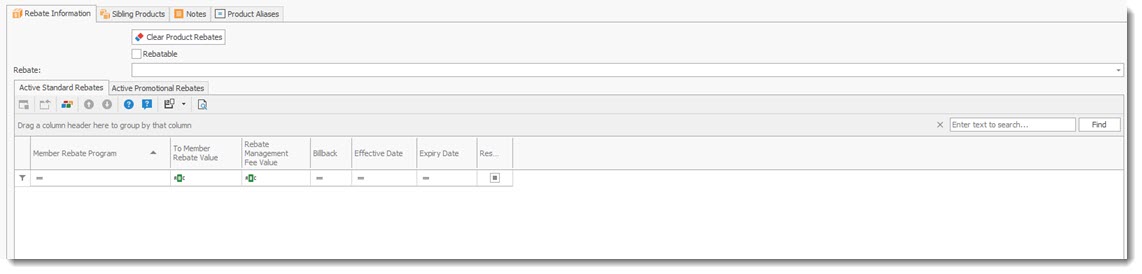
How to Link a Rebate to a Product
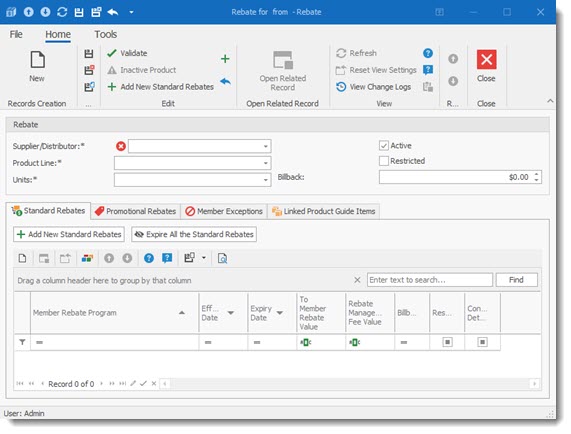
1) Create a New Rebate record
Tab for recording Standard rebates
Tab to record Promotional Rebated
Tab to record Member Exceptions
Tab to Linked Product Guide Items
Sibling Products Tab; display all products that are siblings to the selected product. A sibling product is a product that has the same valid SCC code as the selected product. If the SCC code is blank or is one the predefined and listed invalid SCC codes, then no sibling products will be listed and no cascading of information will be occur.
Notes Tab : Allows users to record notes related to the selected product
Product Aliases Tab: Listing of all Alias that the system will use for the selected product. Users can add/modify or remove Aliases. Aliases can also be added via the Load Purchases item screen, during the data cleaning process.