Preview, Print and Export Reports
Preview a Report
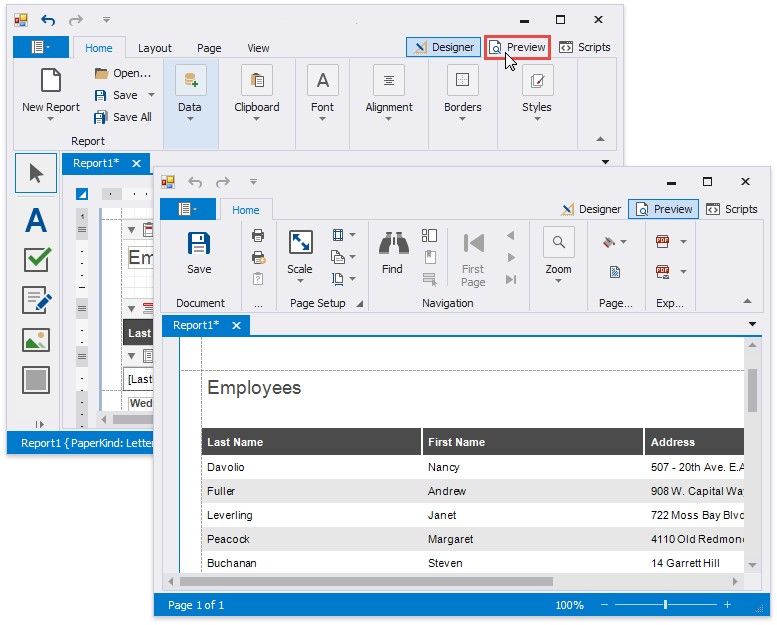
To switch a report to the print preview mode, click the Preview tab. You will see your report populated with data and broken down into pages, as specified.
Print a Report
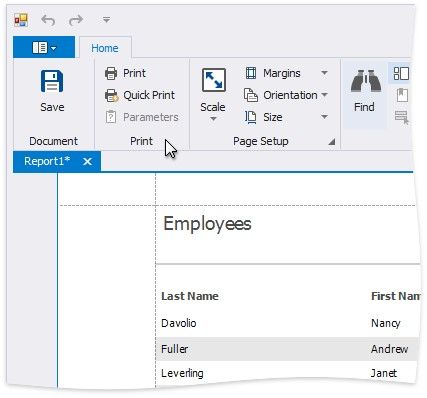
When in the Print Preview mode, you can print out your report using the appropriate menu and toolbar commands.
Export a Report
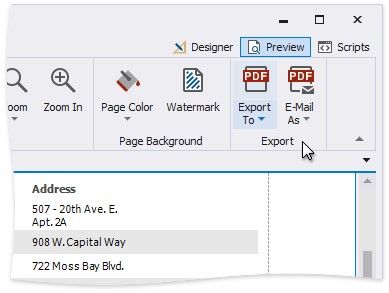
When in the Print Preview mode, you can export your report to files in different formats. The resulting files can either be saved to the hard drive or sent by e-mail.
The following documents describe the basics of report exporting and format-specific export options.
Exporting from Print Preview
PDF-Specific Export Options
HTML-Specific Export Options MHT-Specific Export Options
RTF-Specific Export Options
XLS-Specific Export Options
XLSX-Specific Export Options
CSV-Specific Export Options
TXT-Specific Export Options
Image-Specific Export Options