Map Navigation
The Choropleth Map dashboard item allows you to perform navigation actions such as zooming and scrolling.
The Dashboard Designer allows you to specify the initial zooming/scrolling state for the Choropleth map using the mouse.
You can disable the capability to scroll/zoom the map using the Lock Navigation button in the Design ribbon tab.
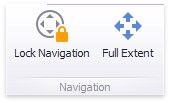
Use the Full Extent button to display the entire map within the dashboard item.