Limit the Number of Records per Page
This document describes how to specify the number of data source records displayed on report pages.
After you bound your report to data and provided content to the report's Detail band, you can limit the number of records each report page displays. This example demonstrates how to pass the required record count as a parameter value.
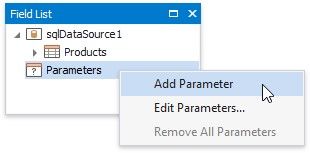
1.Switch to the Field List, right-click the Parameters section and add a new report parameter.
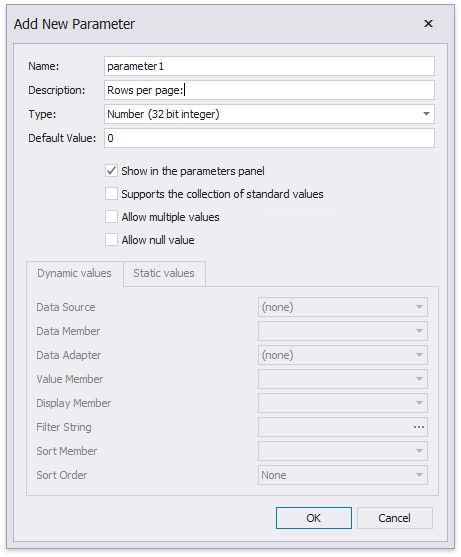
2.Specify the parameter's description displayed in Print Preview and set its type to Number (Integer).
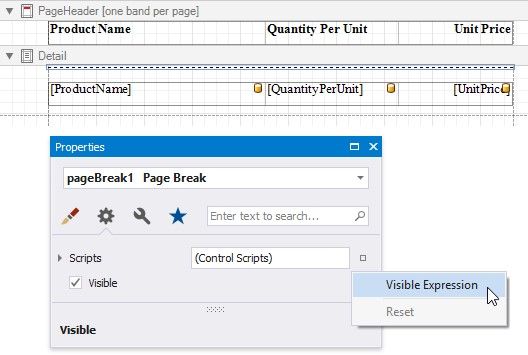
3.Drop a Page Break control onto the report's detail band and switch to the Property Grid. Open the Behavior tab, click the Visible property's marker and select Visible Expression in the context menu.
4.In the invoked Expression Editor, specify the required expression.
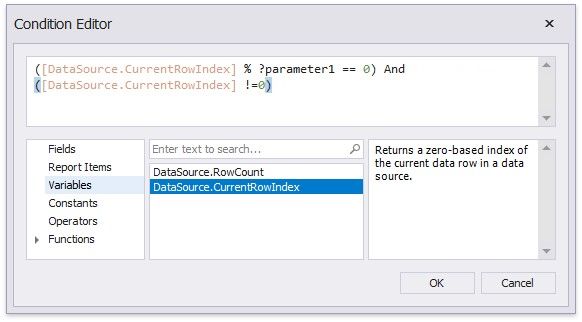
For example:
([DataSource.CurrentRowIndex] % ?parameter1 == 0) And ([DataSource.CurrentRowIndex] !=0)
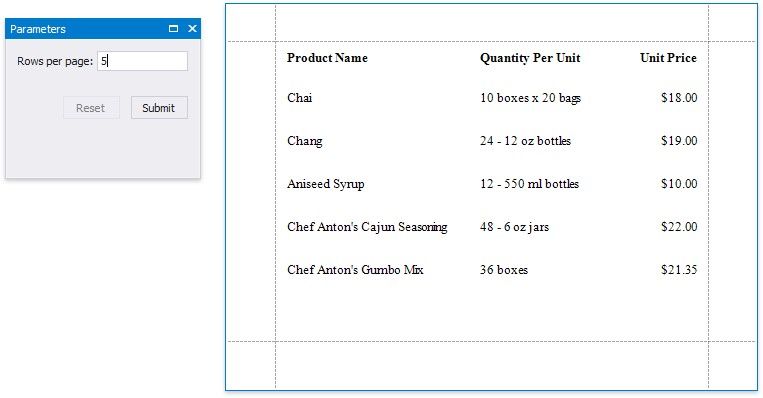
When switching to Print Preview, you can specify how many rows each report page should display by entering the corresponding parameter value: