Labels
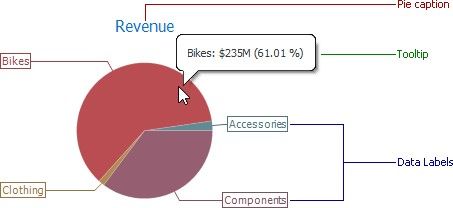
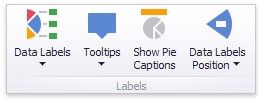
You can specify which information should be displayed within data labels and tooltips. To do this, use the Data Labels and Tooltips buttons in the Labels group of the Design Ribbon tab.
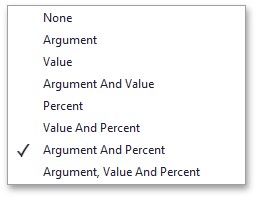
These buttons invoke a drop-down menu that is similar for both buttons. This menu allows you to specify which values are displayed within data labels or tooltips.