Expand and Collapse Groups in Pivot Tables
Expand/Collapse Groups of Values
To expand/collapse groups of values, do one of the following:
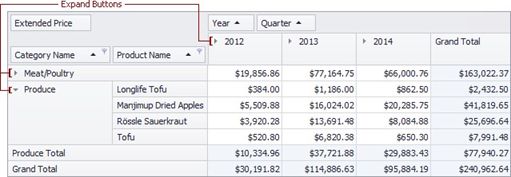
Click a corresponding expand button:
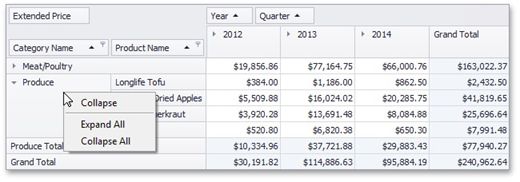
Right-click a value that has nested values, and select the required Expand or Collapse command from the menu that opens:
Expand/Collapse Fields
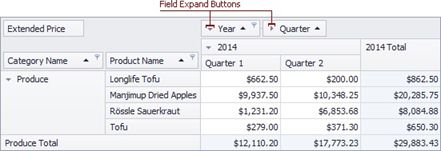
To expand/collapse a group of fields, click a corresponding field expand button: