Display Item as Page
The tab caption is above the caption of the content element on the page. If a tab page contains a single element, the Display Item as Page feature is activated. It merges the dashboard item with a tab page and displays a single caption, as illustrated below.
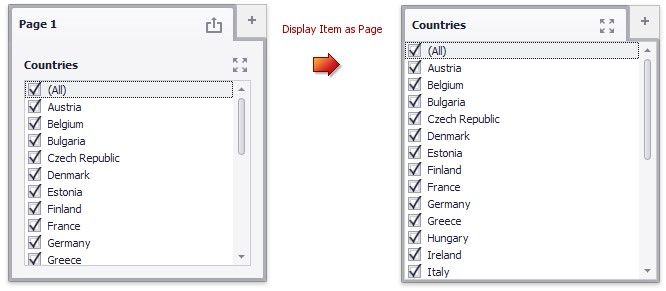
To disable the Display Item as Page feature, use one of the following methods:
 Select the tab page and click the Display Item as Page button in the Layout group on the Design ribbon tab of the Page Tools contextual tab set.
Select the Display Item as Page command in the tab page context menu.