Diagram Page
Tasks
Rotate a diagram;
Define a diagram's padding;
Add or remove secondary axes;
Add or remove panes;
Define panes' layout direction;
Enable or disable a diagram's scrolling and zooming.
Page Elements
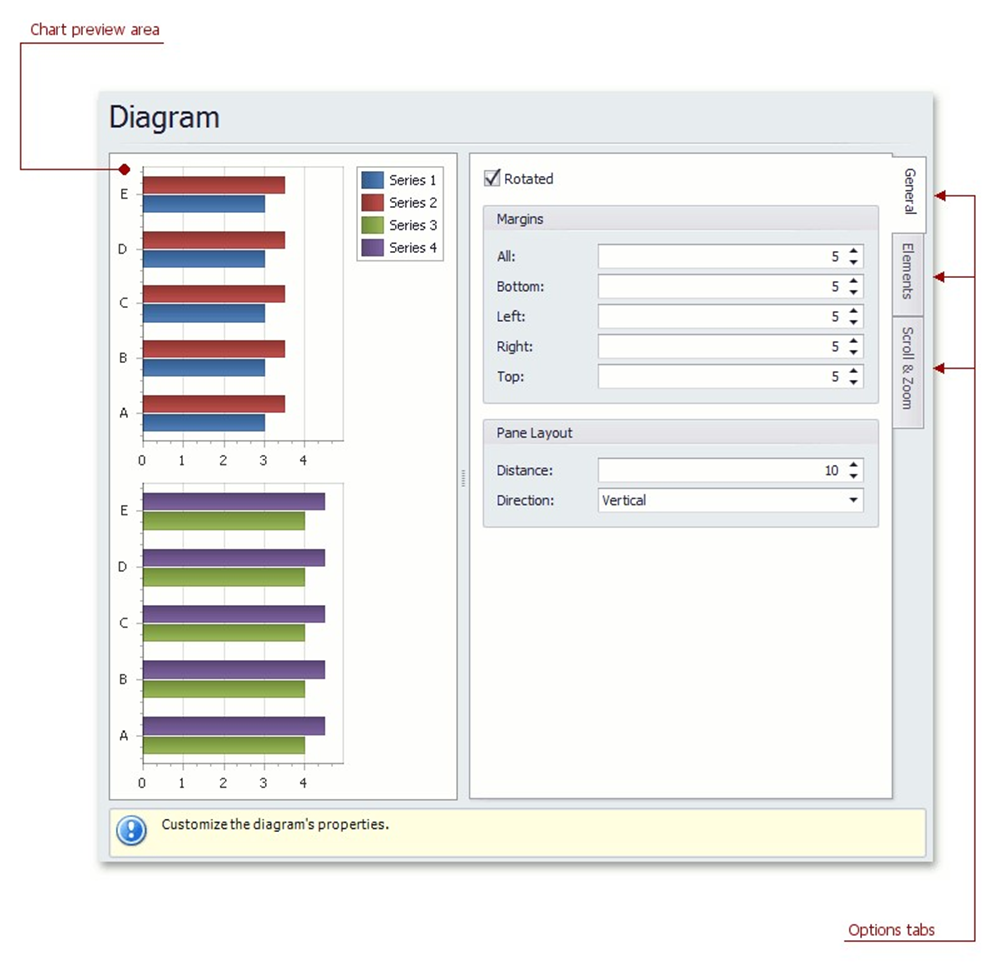
Chart preview area
Previews a chart's layout.
Options tabs
The following tabs are available on this page.
General
Choose whether a diagram should be rotated, set its padding values, and (if it contains several panes) define the panes' layout direction.
 Elements
Add or remove secondary axes and panes.
 Scroll & Zoom
Enable or disable a diagram's scrolling and zooming, and specify the scrolling and zooming options.