Create a New Report Using the Report Wizard
The following commands run the Report Wizard. Go through the wizard's pages to get a predesigned report.
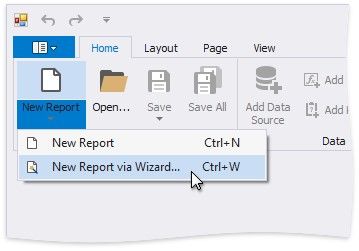
Use the Ribbon's Home Tab
Click New Report and then New Report via Wizard....
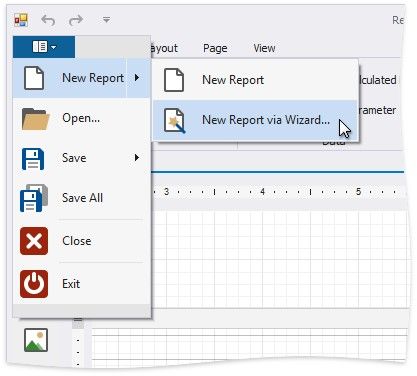
Use the Ribbon Application Menu
Click the application button and then choose New Report | New Report via Wizard....
Use a Shortcut
You can also use the CTRL+W shortcut to run the Report Wizard.