Create a New Blank Report
You can use one of the following commands to create a new report. The created report contains three bands - Top Margin, Detail, and Bottom Margin. Refer to the Use Report Elements section for information on how to add controls to the report. Use the Ribbon's Home Tab Click New Report.
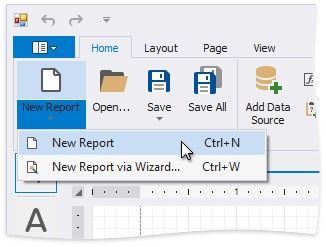
Use the Ribbon Application Menu
Click the application button and then New Report.
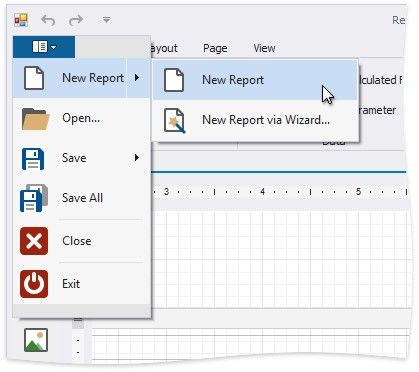
Use a Shortcut
You can also use the CTRL+N shortcut to create a new report.