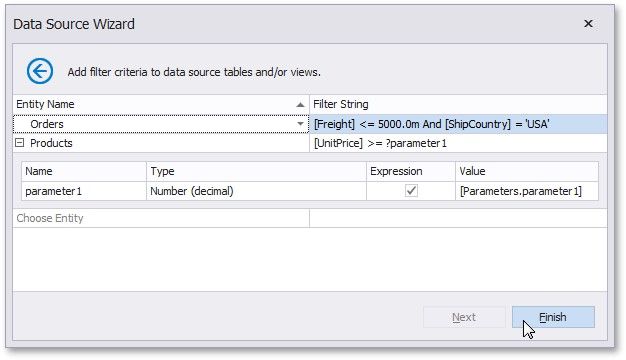
Configure Filters
This wizard page allows you to define any number of filter criteria for your data source.
The Filter Editor is displayed after choosing an entity on this wizard page.
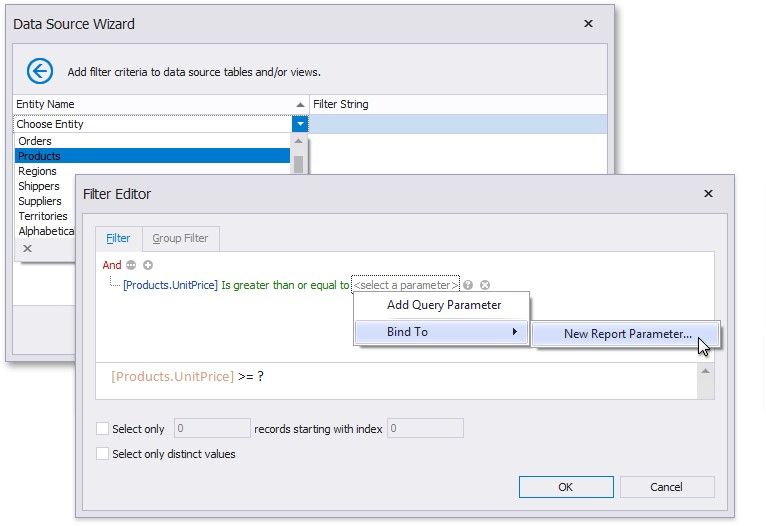
Use this editor to define the selected entity's filter criteria. The filter string can also reference report parameters.