To Copy or Clone an existing report and then use it as a starting point for a new report go to the report section of RHOP
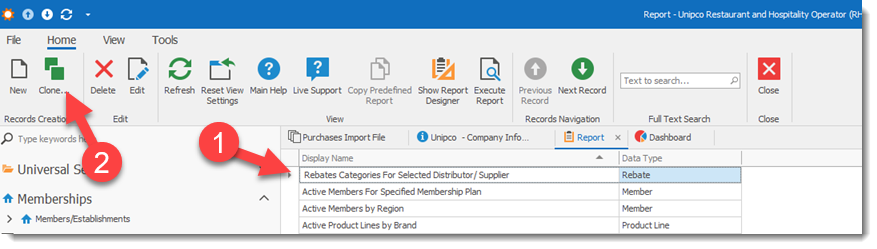
Step 1) Highlight the report you want to clone
Step 2) Select the Clone button
The New Report screen will open allowing you to rename the clone report to its new name. In the example we add the word NEW to be able to distinguish it from the original report. Click Save to save the New copied report. You can then edit the new report using the Report Designer.
